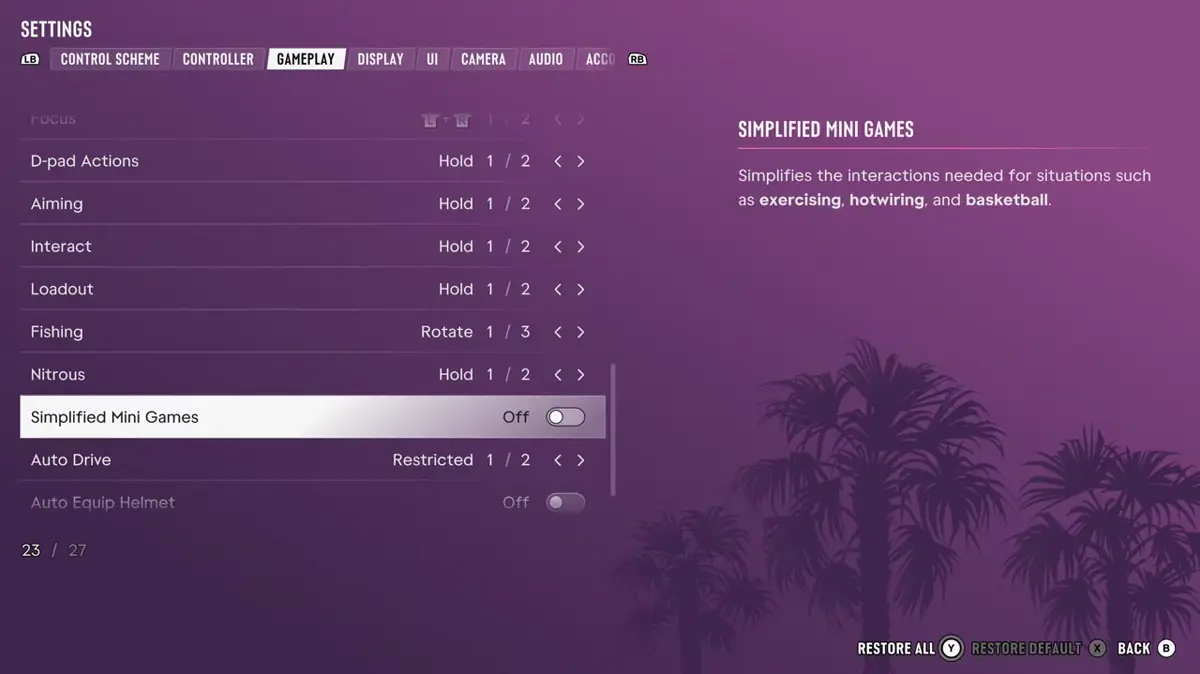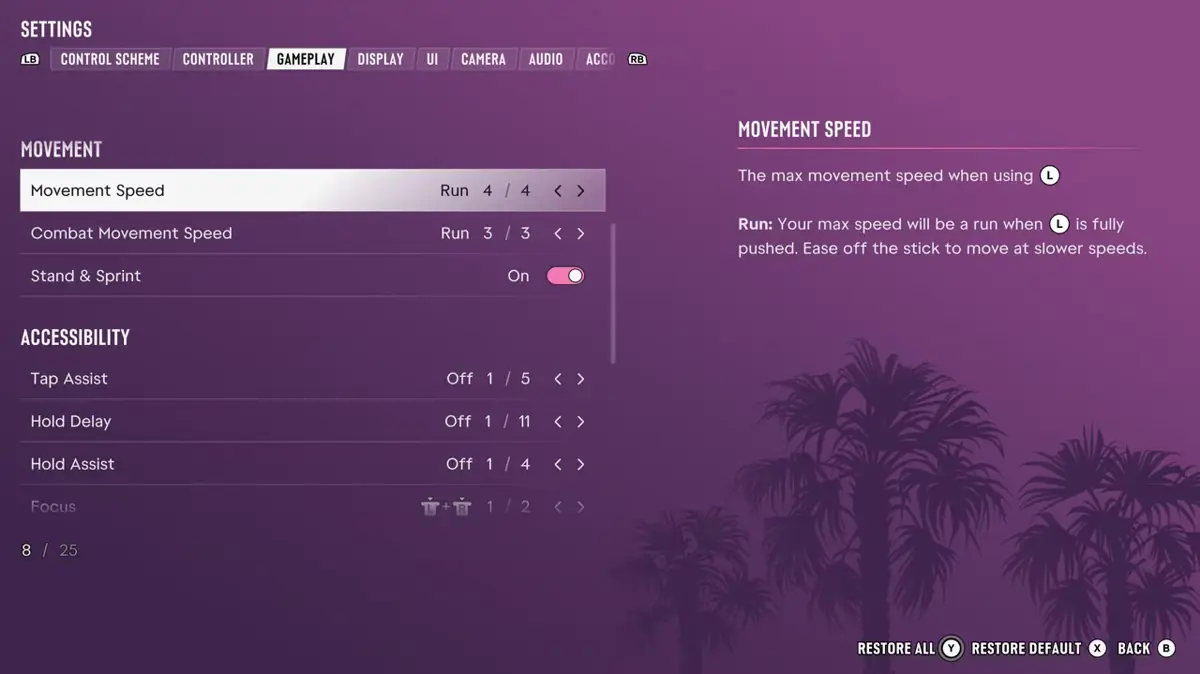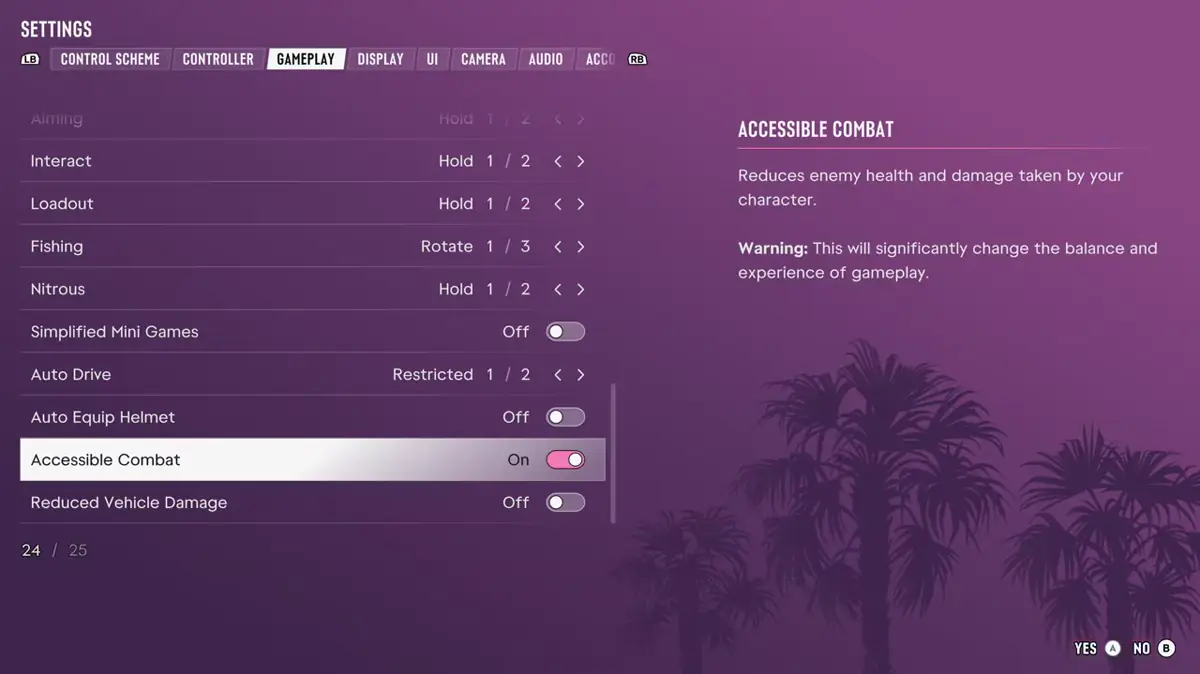
To make GTA 6 easier, open the settings and go to the Gameplay tab. The options that matter most sit at the very bottom of the list: Accessible Combat, Reduced Vehicle Damage and Simplified Mini Games. According to JuiceHead, you can flip them on and off whenever you like, even halfway through a police chase.
Everything here comes from JuiceHead’s video, played on Xbox, with the menu text checked frame by frame.
The options that make it easier
| Setting | What it does |
|---|---|
| Accessible Combat | Lowers enemy health and the damage your character takes. The game warns that it changes the balance a lot. |
| Reduced Vehicle Damage | Your car shrugs off crashes. JuiceHead slammed into things over and over and the car stayed in one piece. |
| Simplified Mini Games | Simplifies interactions like exercising, hotwiring and basketball. |
| Auto Drive | Drives you to your destination on its own. See how auto drive works. |
When you save, the game warns that these changes can have a big impact on your experience. If you don’t save, everything goes back to how it was.
Accessible Combat in practice
With Accessible Combat on, JuiceHead took on a five-star wanted level right at the start of the game. He soaked up a lot of gunfire without body armor and kept going, then escaped by stealing a boat and running along the coastline. To shake the cops without help, read how to lose the police.
His approach is to use it only when things get ugly. If a chase goes wrong or you’re carrying a lot of stolen cash, pause, scroll to the bottom of the Gameplay tab, switch it on and jump back in. Turn it off again afterwards.
What about trophies? JuiceHead says these settings don’t disable trophies or achievements, unlike GTA 6 cheat codes, which only unlock after you finish the story. His video never shows a trophy unlocking with Accessible Combat on, so treat that as his claim for now.
Easier aiming
The aiming options are at the top of the same tab:
- Targeting: 3 modes. JuiceHead says the game starts on partial lock-on. You can switch to full Lock-On or turn locking off.
- Lock-On Target Switch: while locked on, your aim jumps from one enemy to the next. JuiceHead recommends turning it on.
- Aim Assist Strength and Lock-On Time: sliders for how strong the assist is and how quickly it locks.
- Drive-By Assist: when you fire from a vehicle, your aim snaps to nearby targets.
The rest of the useful menu tweaks are in the best GTA 6 settings.
Running without burning stamina
Movement Speed sets your top speed on the left stick. There are 4 choices: Walk, Fast Walk, Jog and Run. JuiceHead says it defaults to Walk. On Run, pushing the stick all the way makes you run, and easing off lets you move slower. He says this run doesn’t use stamina, though it is slower than a real sprint.
Right below are Combat Movement Speed, which does the same in a fight, and Stand & Sprint, which stands you up automatically when you sprint out of a crouch.
Simplified Mini Games and working out
Lifting weights normally asks you to time the triggers. With Simplified Mini Games on, JuiceHead says the timing part goes away, which helps a lot if you plan to train every day. Training also raises your health and stamina; JuiceHead covers that in the same video.