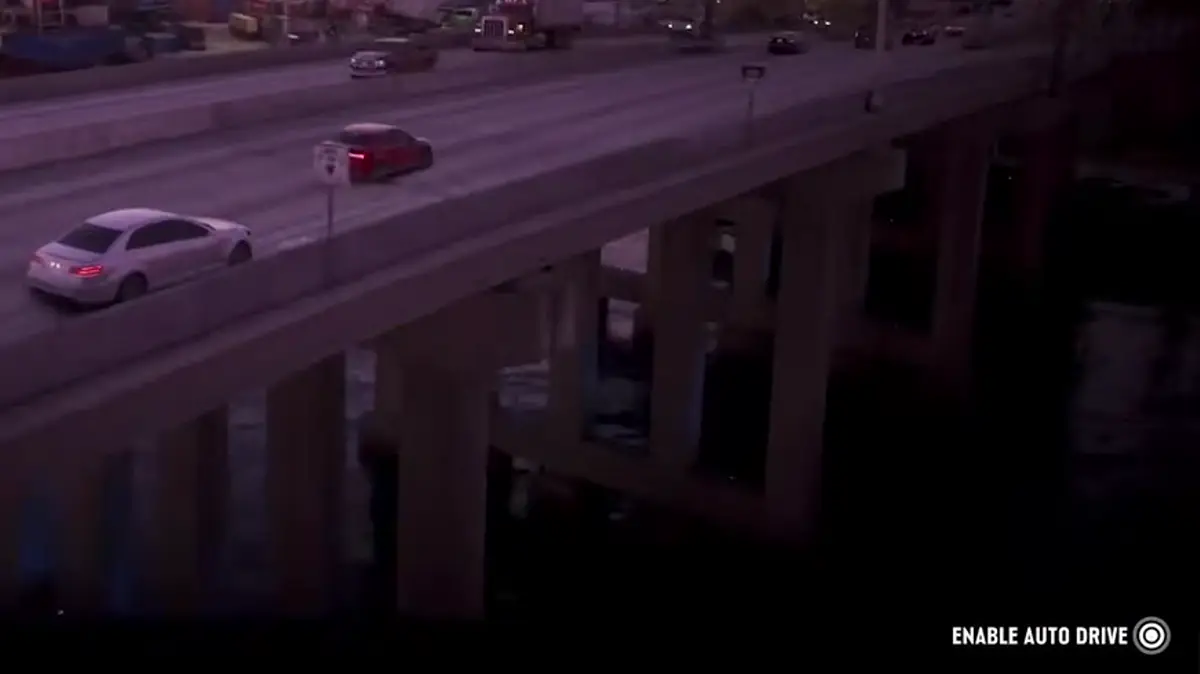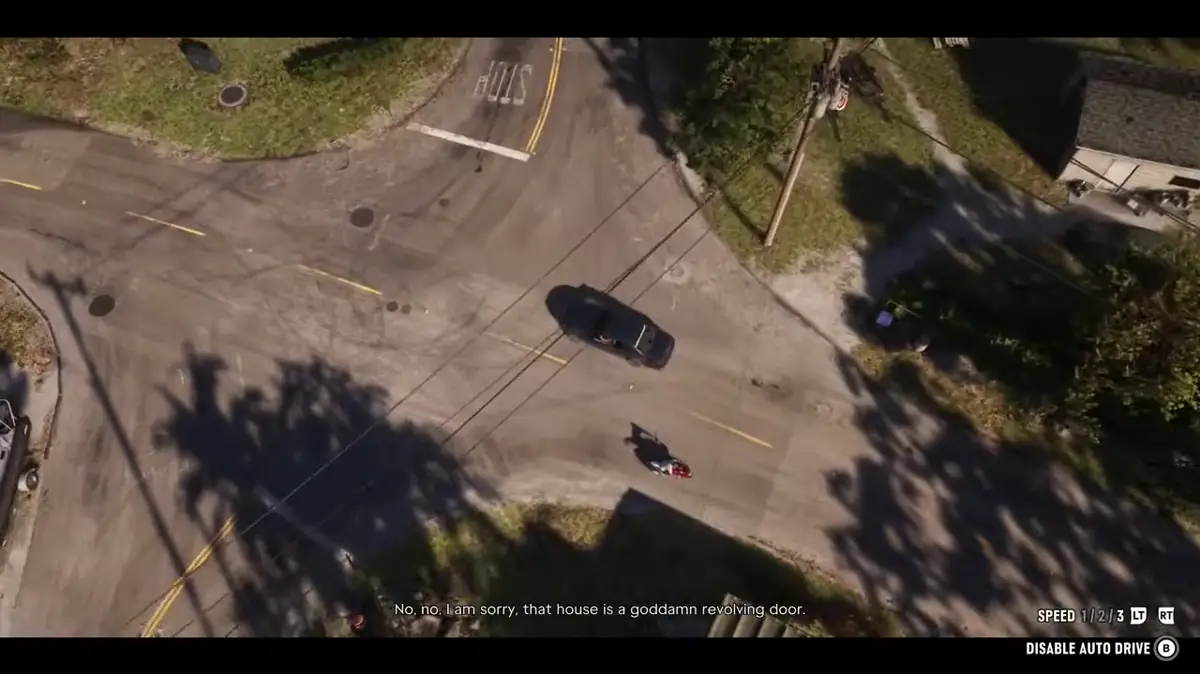
GTA 6 has a built-in auto drive. Set a destination on the map, hold down on the D-pad while you drive and pick the cinematic camera. An Enable Auto Drive prompt then appears: press circle on PS5 (B on Xbox) and your character drives to the marker without you touching the sticks. It works in cars and boats.
JuiceHead on Xbox and Milo on PS5 showed it working first, and SubscribeForTacos and BennyCentral have used it since.
It unlocks early. SubscribeForTacos turned on auto drive on a save that hadn’t even finished Chapter 1, so you don’t need to push through the story to get it.
Step by step
- Set a destination on the map first. Milo only got it to work with a waypoint already placed.
- Get in a car or boat and start driving.
- Hold down on the D-pad to open the quick navigation menu, the same one you use to pick GPS targets.
- Pick the cinematic camera. The view switches to movie-style angles.
- Enable Auto Drive shows up in the bottom corner. Press circle (B on Xbox).
- The vehicle now drives itself. Press the same button, now labeled Disable Auto Drive, to take the wheel back. To leave the cinematic camera, the game tells you to hold the D-pad.
For step 5, JuiceHead and Milo press the button once. SubscribeForTacos held circle instead and it worked just as well. BennyCentral simply taps circle (B on Xbox) after holding down on the D-pad.
The same menu picks your destination
Holding down on the D-pad does a second job, BennyCentral explains. It brings up a quick view of what’s nearby, missions and shops included, and slows time down while you choose. Pick one and your GPS is set, no big map needed. You can do that and then switch auto drive on straight away.
For more ways to find and mark places, see how the map index works.
Three speeds
While it is on, the corner of the screen shows Speed 1/2/3. On JuiceHead’s Xbox, LT and RT move between them; on PS5 that is L2 and R2.
SubscribeForTacos shows speeds 1, 2 and 3 as well, and put it on 3 to sit back for the ride.
Even at the top speed, the car follows traffic laws. It stops at lights and waits its turn, so trips take longer than driving yourself. SubscribeForTacos gives the same warning: you’ll be stuck at red lights, so drive yourself if you’re in a hurry. JuiceHead’s trick is to switch it off, pass the slow car ahead, then switch it back on without stopping.
When you arrive, JuiceHead says the game parks the car in a parking spot for you.
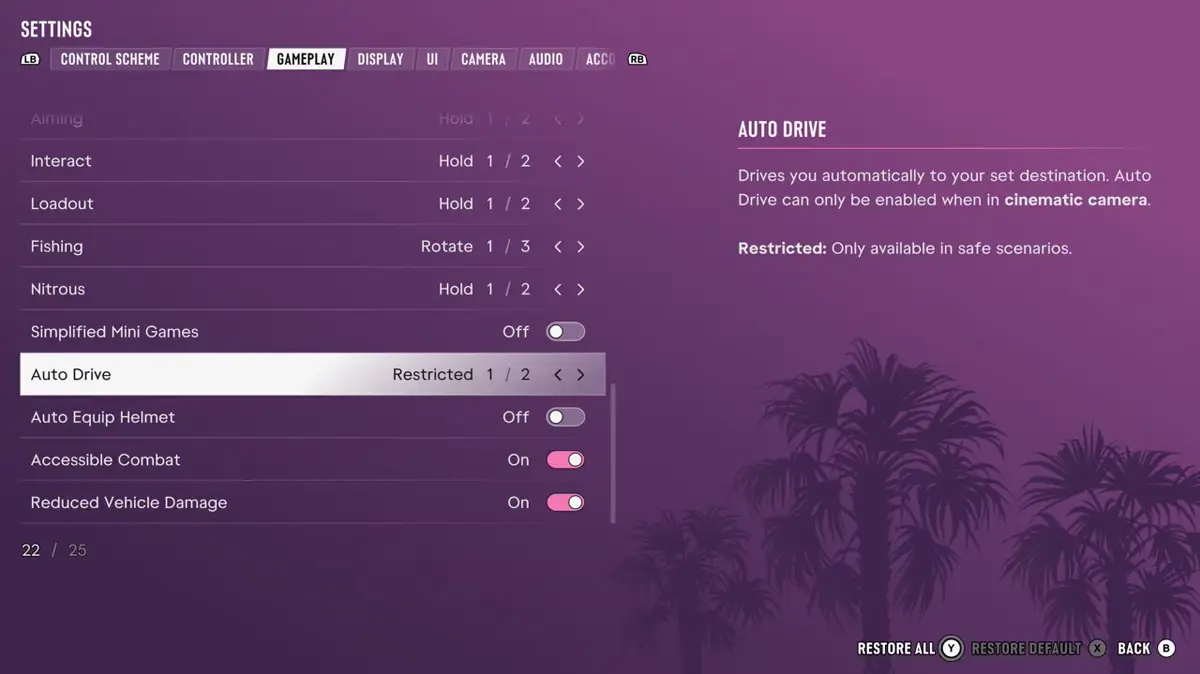
The Auto Drive setting
The Gameplay tab in the settings has an Auto Drive option with 2 values. The in-game text says it drives you to your set destination and can only be turned on in the cinematic camera. In JuiceHead’s menu it sits on Restricted, which the game describes as available only in safe scenarios. The video never shows the other value. That same tab has more options that make the game easier; see GTA 6 difficulty settings.
Boats are where it shines
There is hardly any traffic on the water, so a boat on auto drive gets there fast. JuiceHead used it all the time to head home: the boat sailed itself right up to the ladder behind Jason’s house.
Cop cars with the siren on
In a police car with the siren on, auto drive moves more freely through traffic, though it still sticks to the rules where it can, according to JuiceHead. Milo tested the siren while driving himself: the cars ahead and a group of people in his path moved aside.
For more controls the game never explains, like flipping your car back over and listening to the radio on foot, see GTA 6 hidden features. New to the game? Start with the beginner tips.