In GTA 6 you keep spare guns in your Personal Vehicle’s trunk and manage everything you own from the weapons locker at Ammu-Nation. You need both, because unlike older GTA games, this one caps how many weapons you can have on you. GamesRadar+, MrBossFTW, WiLLiSGaming and GameSpot all describe the same system.
Why your guns disappear
Picking up a gun doesn’t mean it’s yours for the rest of the game. GameSpot says an equipped weapon can vanish when a mission moves the story on, when you sleep, or for other reasons. The fix is to stow it in your Personal Vehicle or check the weapons locker. GameSpot counts more than 100 weapons in the game.
According to GameSpot, guns come from a handful of places:
- Ammu-Nation purchases. The safest route. Choosing buy and equip puts the gun straight into your loadout.
- Bodies. Loot them from enemies you’ve killed or knocked out.
- Cop cars and military armories.
- Legendary weapons, marked with a gold gun icon, in compounds such as Kingfisher hideouts.
- Story missions, some of which let you keep the gun afterwards.
What you can carry
Hold L1 (LB on Xbox) to open your loadout, on foot or in a vehicle. It has two tabs, Weapons and Items, and R1 (RB) flips between them.
The Weapons tab has these slots:
| Slot | How many |
|---|---|
| Sidearms | 2 |
| Hands | 1 |
| Equipment | 1 |
| Longarms | 2 |
| Melee | 1 |
| Explosives | 1 |
The Items tab has a single slot for each of these: Masks, Headgear, Headwear, Outfits, Bags, Gear, Eyewear and Smokes. To equip something, move the right stick over the slot and press X (A on Xbox).
From your Personal Vehicle’s trunk
- Walk to the back of your Personal Vehicle and press Triangle (Y) to open the trunk.
- When the prompt shows up, hold L1 (LB) to bring up the loadout.
- Move the stick to a slot and cycle through what you have with left and right on the D-pad.
- To stow a longarm, press Square (X on Xbox).
From here you can swap stored items and equip any sidearms or longarms you’ve left in the car.
Only your own car counts. Pop the trunk on any vehicle and you’ll see a Stow Longarms option, but GameSpot warns that guns stashed in a car you don’t own stay with that car, and you’ll usually lose track of it. Use your Personal Vehicle, which is always nearby or a phone call away.
According to GameSpot’s video, once you register a car in your name, all your weapons are stored in its trunk automatically. That’s one of the perks of registering, along with summoning the car through an app and repairing it if it gets destroyed. Here’s how registering works.
From the Ammu-Nation weapons locker
- Open the Index, go to the weapons tab and find your nearest Ammu-Nation. Here’s how the Index works.
- Walk up to the green locker inside the store.
- Hold L1 (LB) to manage your loadout, or press Triangle (Y) to manage your weapons.
- Pick Manage Weapons. It lists every gun you own, along with any Unique Weapon Variants you’ve bought or found.
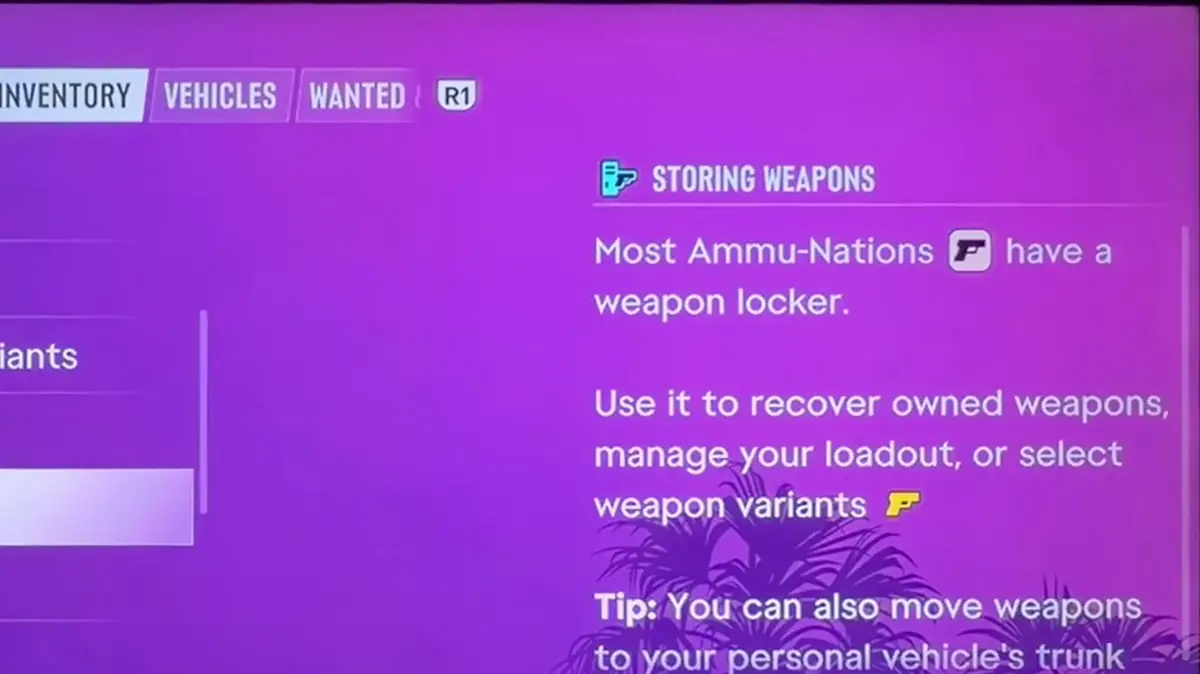
One GamesRadar+ guide says every Ammu-Nation has a locker. The other one is more precise: nearly all of them do, except the Pawn shop versions. GameSpot says there’s a tall green locker in every Ammu-Nation in Leonida and doesn’t mention the exception.
Garages work too. Per GameSpot, any garage you’ve bought that has a weapons locker does the same job. Prices are in our garage guide.
Getting back lost or destroyed guns
Dropped a gun mid-chase or had it destroyed? As long as you own it, Manage Weapons at the locker gets it back for you. That covers guns you bought and unique ones. Guns taken from enemies don’t come back (see below).
GameSpot explains where a “missing” gun usually turns up:
- In Manage Weapons, pick the class (pistols, SMGs, assault rifles and so on).
- Hover over the weapon type, for example the Duke .556 assault rifle, and press Triangle (Y) to open its Variants tab.
- That tab lists every version of that type you own. Found yours? Press X (A on Xbox) to put it in your loadout.
If it isn’t in your trunk, your loadout or the locker, GameSpot says it’s probably gone for good.
Owned, unowned and unique weapons
MrBossFTW breaks down how the game treats your guns:
| Type | Where it comes from | What happens to it |
|---|---|---|
| Unowned | Taken from enemies or picked up off the ground | Usable while the ammo lasts, but it never becomes yours. Leave it behind and it’s gone for good. Stash it in your Personal Vehicle’s trunk if you want to keep it around |
| Owned | Bought at Ammu-Nation | Free to take back out from the weapon locker at certain Ammu-Nations or from your Personal Vehicle’s trunk |
| Unique (yellow) | Found around the map or at Ammu-Nation | Unlocked for good the moment you pick it up |
WiLLiSGaming backs up the unique part: these guns survive death, and you can pull them from your car or swap your loadout at a gun store. Here’s where to find them: GTA 6 unique weapons.
Watch out at the locker: according to MrBossFTW, you can’t use the Ammu-Nation weapon locker while you’re carrying unowned weapons. Drop them before you build a new loadout.
Choosing what rides in the trunk
At the locker, press Square (X) on each weapon category to add it to or remove it from your Personal Vehicle’s trunk. Clear out guns you never use, so the ones you want are quicker to reach when the cops or a gang are on your tail.
Unique Weapon Variants
When a weapon has a Unique Weapon Variant available, a gold gun icon shows in the bottom left corner. Press Triangle (Y) to open a sub-menu where you can equip the variant, or your own customized version if you already own the base gun.
The locker also lets you equip sidearms, longarms, explosives, melee weapons and other items on the spot. Just be aware that the staff may not appreciate you waving a rifle around their shop.
To stock the trunk without spending money, see free guns from cop cars and the GTA 6 weapons list.